
Time doesn’t spare old photographs. They fade out, tear in the corners, and pick up scratches and spots. These days, AI software steps in and repairs a lot of that damage on its own.
We’re going through a handful of the most downloaded tools right now. What they fix well. How they work in practice. Who ends up using them the most? Got just one photo you want to save or a whole album to tackle?
One of these should fit the job without breaking the bank.
1. Renew Photo
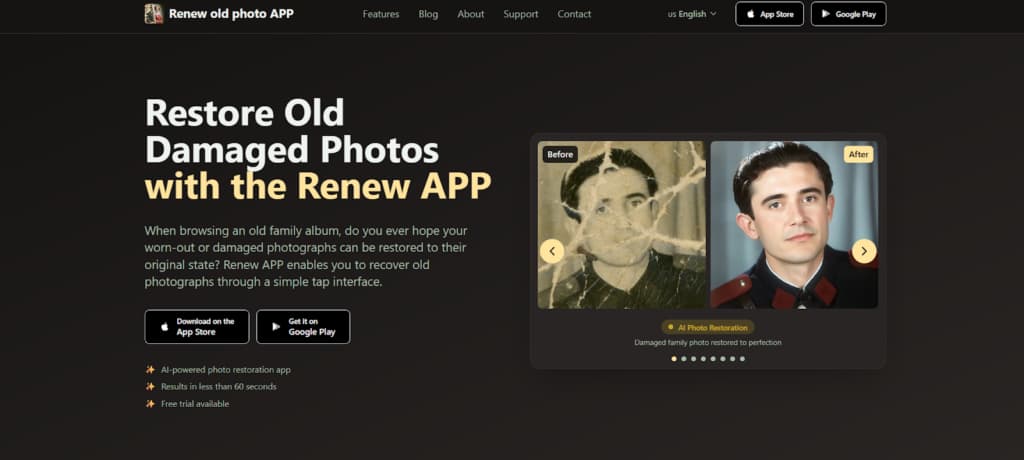
Renew Photo is a mobile app that repairs old and damaged photos using AI. With one tap, it can fix tears, scratches, and faded colors. It also colorizes black-and-white pictures and sharpens details.
The app converts worn or vintage photos into clear, high-quality images for sharing or printing. Its simple design makes photo restoration easy for anyone, regardless of skill level.
The technology is based on advanced algorithms trained on many historical photos. It reconstructs missing details and fixes flaws while keeping the original look and feel of the image. Additional features include photo animation, lighting adjustments, and merging multiple photos. All processing is fast and secure, with user privacy protected.
How to Use Renew Photo
Renew App fixes old photos in five easy steps—no skill needed.
- Pick a tool like Colorize or Descratch.
- Upload your damaged photo.
- Let AI repair scratches and fading in under a minute.
- Preview and adjust the result.
- Download the high-quality image or share it.
2. Hotpot.ai
Hotpot.ai is a free online tool that uses AI to restore photos. It quickly repairs damaged images, including both color and black-and-white photos. The tool automatically fixes scratches, sharpens blurry faces, and improves faded colors.
You can use the service without creating an account, making it easy for casual use to restore a few personal photos. The interface is simple and provides good results quickly.
For larger projects, there is an affordable paid option, but you must contact them for specific pricing. If you use the free version, your restored photos come with a Creative Commons license (CC BY-NC). This means you can share them non-commercially if you credit Hotpot.ai. For commercial use, you must pay for the service.
The platform also includes other AI tools, such as colorization and image upscaling. Each separate tool has its own daily limit for free use.
How to Use Hotpot.ai
Using Hotpot.ai:
- Go to their site and find the “AI Photo Restorer” tool.
- Upload your damaged picture.
- Let the AI fix it.
- Download your restored photo for free, or edit it further.
- You get 2 free restorations a day. Need more? Buy credits.
3. PhotoRestore.io
PhotoRestore.io is a simple, free tool for fixing photos online. It’s totally free, and you don’t even need to make an account, which is a nice perk. It works by sharpening blurry images and bringing color back to faded ones.
The tool is great for quick jobs like fixing minor wear or blur. But if your photo has major scratches or heavy damage, you might need something more powerful.
Plus, it works as a free editing suite. You can colorize photos, increase their size, delete backgrounds, and organize them into albums.
How to Use PhotoRestore.io
The process is straightforward:
- Go to PhotoRestore.io.
- Click “Restore Photos” on the homepage.
- Upload your old or damaged photo—several at once is fine.
- Let the AI automatically restore it, with optional tweaks available.
- Download or share the result for free, with no watermark.
- For further edits, use other tools like Colorize Photo or Increase Resolution directly on the site.
4. AirBrush
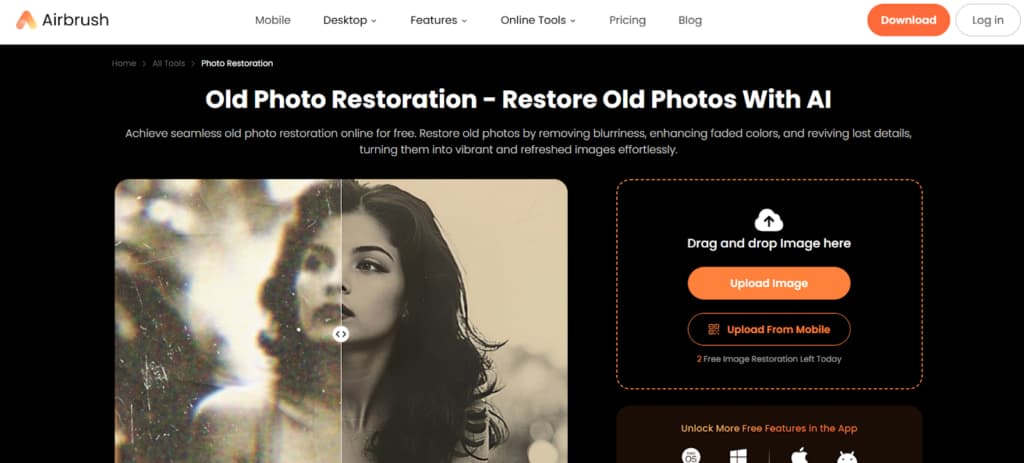
AirBrush has a fast, free online tool that fixes old photos. It’s a one-click solution, so you don’t need any editing experience. You just upload your picture. The tool automatically removes blur, cleans up graininess, and brightens faded colors.
It’s especially good with faces in old portraits, sharpening details, and improving skin tones to make people look clear and natural again.
You can also use it to add realistic color to black-and-white photos instantly. This makes it a solid pick for restoring personal memories. The platform also suggests it for work, like updating old marketing pictures, making social media posts, or improving website images—all for free.
How to Use AirBrush Photo Restoration
The steps are simple:
- Go to the AirBrush Photo Restorer online.
- Upload your old photo (JPG, JPEG, or PNG).
- Click “Restore Old Photos” – AI will enhance clarity, color, and detail.
- Option to colorize black-and-white images.
- Download the restored image for free. Ready to use immediately.
5. Nano Banana
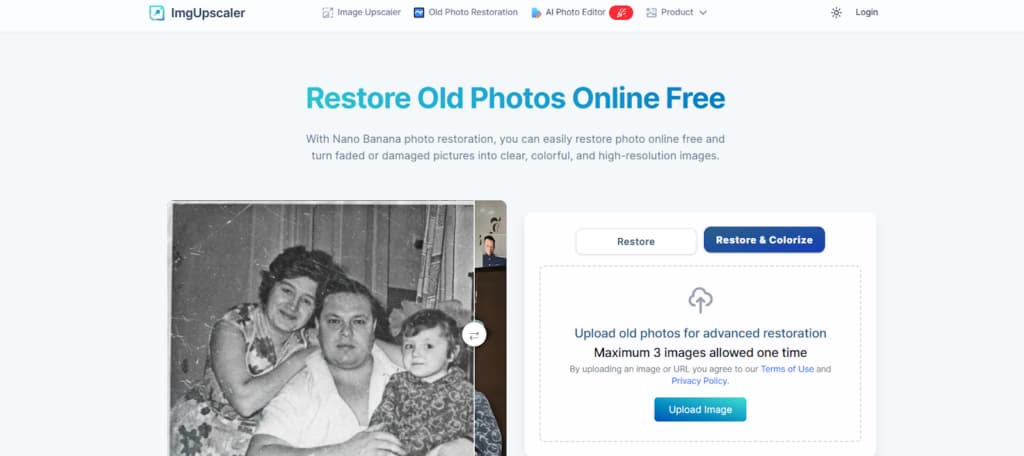
Nano Banana is a free, AI-powered tool that restores photos. It effectively fixes scratches, tears, stains, and faded colors. You can also use it to automatically add realistic color to black-and-white images in one click.
Its AI is good at sharpening details like faces and textures while keeping the photo looking natural. It can also upscale restored images to very high resolutions, like 16K. This makes it useful for both personal projects and professional work in archives or design.
How to Use Nano Banana Photo Restoration
The process is straightforward:
- Go to the Nano Banana website and upload your photo.
- The AI automatically repairs scratches and fading. You can also choose to colorize it.
- Optionally, use the upscaler to increase resolution to 4K, 8K, or 16K.
- Download the final restored image for free. It’s ready to save or use professionally.
Conclusion
Choosing the right tool to fix old photos is a practical decision. Think about the number of photos you have, how damaged they are, whether you need them for business use, and your budget.
Free tools work well for light personal use. For serious damage or large projects, paid services typically deliver stronger results. Just match the tool to what you actually need.
Two More Apps Worth Looking At
The tools above cover a wide range of free and low-cost options, but there are a couple of additional apps that are often chosen when users want stronger restoration results or more creative flexibility.
RetroFix
RetroFix is a mobile app built with a clear priority: repairing photos that are genuinely worn down by time. It performs especially well on images with visible scratches, fading, uneven lighting, and damaged facial details. The AI focuses on rebuilding structure first, rather than just sharpening what’s already there.
Despite the deeper restoration focus, the app remains easy to use and doesn’t require editing experience. After restoration, users can optionally animate the photo, adding subtle motion to bring the image to life.
RetroFix is a good fit when free tools aren’t enough and the photo needs serious repair, but desktop software feels like overkill. More details can be found at https://retrofix.app.
Yore
Yore combines traditional photo restoration with more creative AI features. It can clean up and enhance old photos, but its standout capability is combining two separate images into a single result. This is useful when parts of a photo are missing or when recreating moments that were never captured together.
Yore also includes photo animation, making it suitable for users who want more than static restoration. It’s less focused on technical perfection and more on rebuilding memories in a visually engaging way.
If your project involves restoration plus creative reconstruction, Yore offers a flexible alternative. Learn more at https://yoreapp.website.
Final note:
Free tools are great for light fixes and occasional use. When photos are heavily damaged or when you want animation or reconstruction features, apps like RetroFix and Yore help bridge the gap between simple online tools and full professional software.